The 10 Best AI OFM Tools in 2026: Free and Paid Options
TL;DR: The best AI OFM (AI OnlyFans Management) tools in 2026, by category, are Flux (image generation), RunningHub and ComfyUI (workflows), a built-in upscaler (enhancement), WanVideo (video), scheduling apps, and the AI OFM platform as an all-in-one solution. Free tools exist, but the biggest time savings come from paid or integrated packages — below I break down 10 tools by price, difficulty and who they're for.
Search for "best AI OFM tools" and ten different articles will give you ten different lists, half of them recommending software you'll never actually use. This article works differently: I walk through the whole workflow — images, upscaling, video, scheduling, chatting — and tell you which tool is worth it at each step. At the end you'll see all 10 tools in one table.
Full disclosure up front: the last item on the list is our own platform, AI OFM. I won't pretend I'm unbiased — but I'll tell you exactly when it makes sense to piece together separate tools, and when an all-in-one package is the better call.
What tools do you need for an AI OFM workflow?
An AI creator's work isn't a single app. It takes at least five steps: creating the model and face, image generation, upscaling, video, and finally posting and chatting on Fanvue. If you want to build this step by step, read how to create an AI model, step by step — it lays out the full pipeline.
The 10 tools below cover that entire chain. You don't need all of them: most beginners start with 2-3 tools and expand from there.
1. Flux — the foundation of photorealistic image generation
- What it's for: generating photorealistic AI characters, with custom face training (LoRA)
- Price: free as open source (needs your own GPU), or hosted in the cloud with pay-per-image pricing (estimate: a few cents per image)
- Difficulty: medium — raw Flux takes some setup, but it's worth it
Flux is currently the best freely available image generator for photorealism. For the detailed settings, see our Flux AI settings guide. All 1995 prompts on our platform are optimized for Flux too.
2. Midjourney — artistic quality, little control
- What it's for: fast, aesthetic images — but no custom face training
- Price: paid, roughly $10-60/month subscription (estimate)
- Difficulty: easy — Discord-based, even a few-word prompt works
Midjourney produces gorgeous images, but it falls short for OFM: you can't keep the same face across a series. And without consistency, you don't have a sellable model. Great for ideas and moodboards, not your main tool.
3. DALL-E — the fastest way in
- What it's for: quick, simple images inside ChatGPT
- Price: paid, included with a ChatGPT subscription (estimate: about $20/month)
- Difficulty: very easy — you just ask in plain language
DALL-E is the easiest entry point, but I don't recommend it for OFM content: strict content filters and a recognizable AI style. Good for learning, not for production work. For a detailed head-to-head of image generators, see the best AI image generator 2026 comparison.
4. RunningHub — cloud workflow automation
- What it's for: running ready-made pipelines from your browser, no GPU of your own
- Price: free credits + paid plans for runs
- Difficulty: easy if you import a ready-made workflow; medium if you build your own
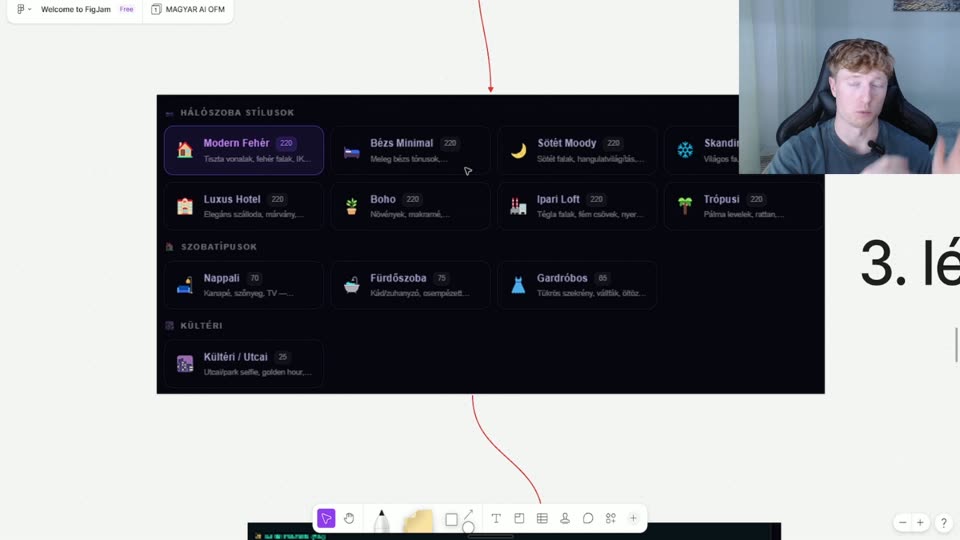
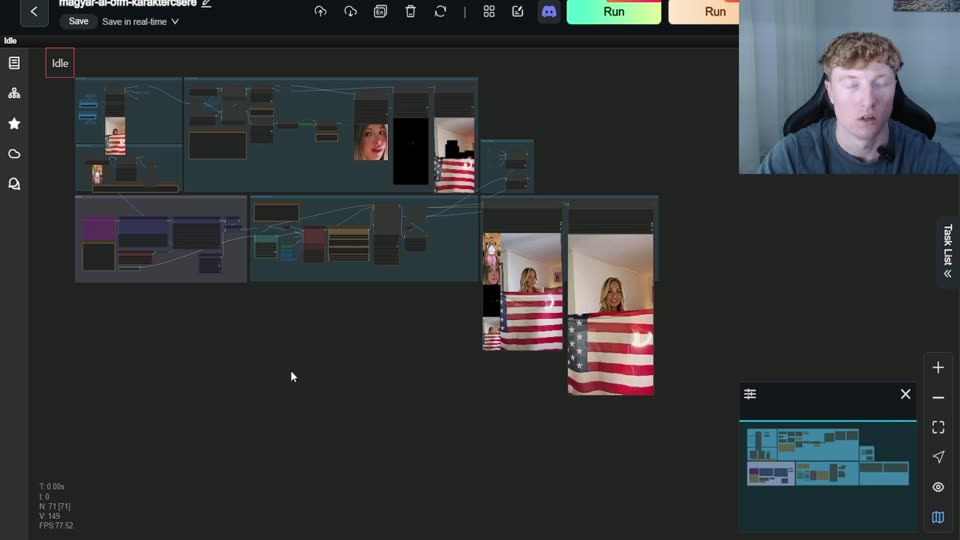
RunningHub runs in the cloud what would otherwise need a powerful graphics card. This is where you import our 38-node image upscaler and 123-node video generator workflows. Full guide: how to use RunningHub workflows.
5. ComfyUI — the workflow engine under the hood
- What it's for: node-based visual pipeline building, full control over the process
- Price: free (open source, needs your own GPU or the cloud)
- Difficulty: hard — this is a tool for advanced users
ComfyUI is the system the workflows actually run in. If you want to go deep, this is where you can customize every node. As a beginner you won't start here — use a ready-made workflow first and come to ComfyUI later.
6. Image upscaler — the key to sharpness
- What it's for: increasing the resolution and detail of AI images (upscaling)
- Price: free with ComfyUI models, or as part of an integrated package
- Difficulty: easy when it's built into a ready-made workflow
Raw AI images often look soft or pixelated up close. The upscaler (ours is a 38-node SeedVR2-based workflow, included from the Insider plan) sharpens them to sellable quality. This is the step beginners skip — and it's exactly why their content looks amateur.
7. WanVideo — image to video
- What it's for: turning a still image into a short video with natural motion
- Price: free model (needs a powerful GPU or the cloud), integrated in the Mogul plan
- Difficulty: hard on its own; medium with a ready-made workflow
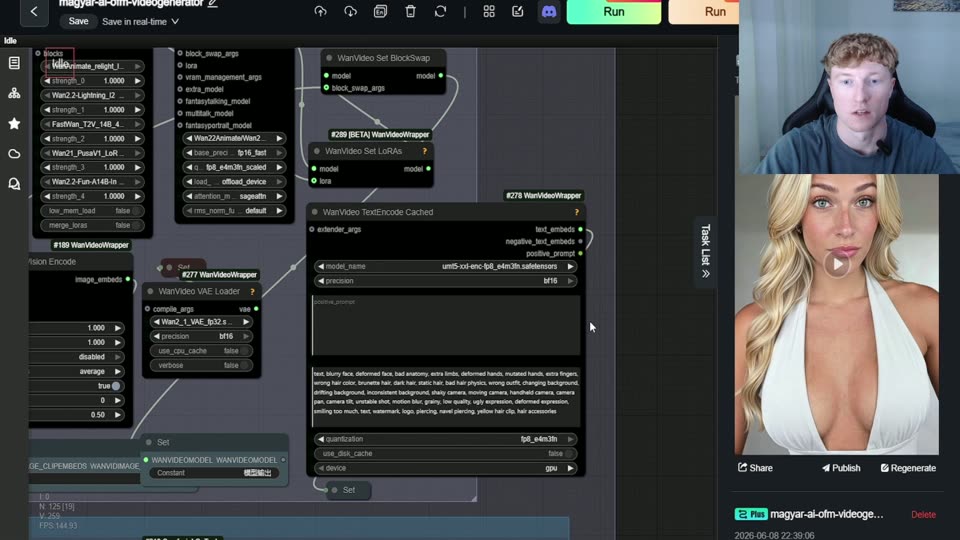
Video is the biggest revenue driver because it sets you apart from the sea of photo-only profiles. Our 123-node video generator workflow is built on WanVideo. For using short videos (Reels, TikTok) to drive traffic, see AI video generation for TikTok and Reels.
8. Scheduling and posting tools
- What it's for: scheduling posts in advance for Instagram, TikTok and other channels
- Price: most have a free tier, with advanced features on paid plans (estimate: $10-30/month)
- Difficulty: easy
Most of your traffic comes from public platforms, so consistent posting is critical. A scheduling app helps you keep a daily rhythm without being glued to your phone. For the strategy: TikTok strategy for AI content.
9. Chatting assistants
- What it's for: helping you answer Fanvue messages and sell PPV
- Price: varies widely — from template collections to paid assistants
- Difficulty: templates are easy; turning them into a system is medium
Of our documented $1,510.31 first-month result, $1,114.81 came from messages (PPV) — in other words, chatting is the biggest share of revenue. A good reply-template system and PPV ladder are worth more than any image generator. Details: Fanvue chatting strategy.
10. AI OFM platform — the all-in-one (ours)
- What it's for: the entire chain in one place — 1995 prompts, workflows, the Fanvue Method, personal support
- Price: Starter €0, Insider €59/mo, Mogul €200 for the first 3 months, then €69/mo
- Difficulty: easy — ready-made workflows and step-by-step guidance
Honestly: this is our platform, so I'm biased. But the point is that you shouldn't have to stitch together 8 separate tools yourself. The package includes 1995 ready-made prompts (800 SFW + 1195 explicit), 12 locations, 53 poses, the 38-node image upscaler and 123-node video generator workflows, built-in AI image generation and the 17-step Fanvue Method. The platform tour breaks down what's in each plan.
Comparison table: all 10 tools
| Tool | Category | Price | Best for |
|---|---|---|---|
| Flux | Image generation | Free / hosted (paid) | Photorealism with a consistent face |
| Midjourney | Image generation | Paid (~$10-60/month, estimate) | Brainstorming and moodboards |
| DALL-E | Image generation | Paid (with ChatGPT, estimate) | Complete beginners, learning |
| RunningHub | Workflows / cloud | Free credits + paid | Anyone without a powerful GPU |
| ComfyUI | Workflow engine | Free (GPU required) | Advanced users who want full control |
| Image upscaler | Enhancement | Free / integrated | Everyone — you need sharp images |
| WanVideo | Video | Free model (GPU/cloud) | Standing out with video |
| Scheduling apps | Posting | Free tier + paid | Running multiple channels |
| Chatting assistants | Chatting / PPV | Varies | Creators whose revenue comes from messages |
| AI OFM | All-in-one | €0 – €200, then €69/mo | Everything in one place |
Should you start with free or paid tools?
As a beginner you can start completely free: Flux + ComfyUI + a free upscaler model. The cost is your time and the technical learning curve — tutorials, debugging, endless tweaking. That can easily eat up weeks before your first sellable image is ready.
The paid or integrated route doesn't give you more images; it gives you a faster path to finished content. Once you put a price on your own time, it often pays off. To decide, it helps to think through how much you can earn on Fanvue in 2026 — that shows you how quickly a tool pays for itself.
Which tool should you start with?
If you're just getting started, don't try to use all 10 tools at once. My suggested order: (1) an image generator for a consistent face, (2) an upscaler for sharpness, (3) a scheduler for posting, (4) a chatting system for revenue. Video can come later. For the full beginner path, read AI OFM: how to get started.
Related articles
Frequently asked questions
What is the best free AI OFM tool in 2026?+
For image generation, Flux is the best free choice because it's open source and photorealistic. ComfyUI adds a free workflow engine, and a free upscaler model sharpens your images. The trade-off is time: you need your own GPU or the cloud, and you have to piece the process together from tutorials, which can take weeks as a beginner.
Do I need paid tools, or are free ones enough?+
You can go fully free even for production work, but paid or integrated tools save you time rather than giving you more images. Once you put a price on your own hours, a package with ready-made workflows that shortens the learning curve often pays off. Start free, and switch to paid tools when your bottleneck is time rather than money.
How much does the AI OFM platform cost?+
There are three plans, priced in euros: Starter €0 (15 SFW prompts), Insider €59/mo (1200 prompts, video workflow, Telegram VIP, warmup plans), and Mogul at €200 for the first 3 months, then €69/mo (all 1995 prompts, video workflow, video course, personal support). You can try it free with the Starter plan.
Which tool brings in the most revenue?+
Not the image generator — chatting. Of our documented $1,510.31 first-month result, $1,114.81 came from messages, meaning PPV sales. So the most important tool is a good reply-template system and PPV ladder on Fanvue. Image generation and video bring the attention, but message handling is what makes the money.
How many tools do I actually need to get started?+
Two or three are enough to start: an image generator for a consistent face, an upscaler for sharpness, and a chatting system for revenue. Video, a workflow engine and multi-channel scheduling can come later, once the basics are running. An all-in-one platform is useful precisely because you get these few essentials in one place, without stitching tools together yourself.
Now see what it's like for real
You've read it — now put it to work. These are ready and waiting on the platform.
Available on a free account — no credit card needed. Sign me up
Follow along on social: