How to Create an AI Model Step by Step: A Consistent AI Influencer in 7 Steps
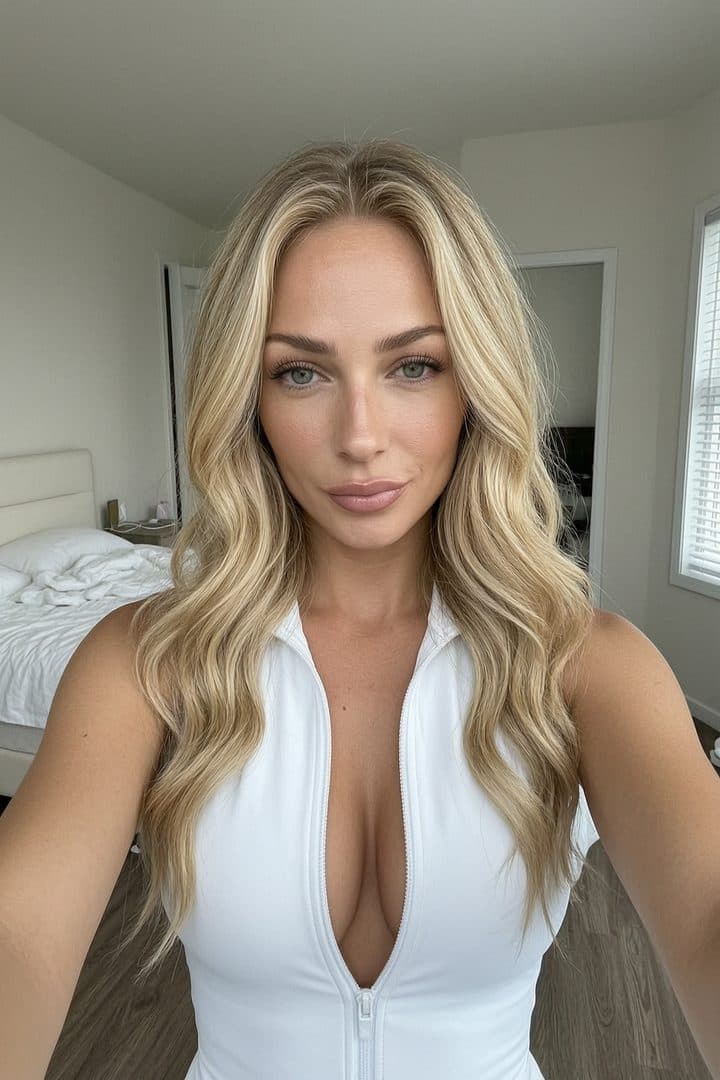
In short: Creating a consistent AI model (AI influencer) takes 7 steps: persona design, locking in face consistency with reference images and a fixed seed, choosing an image generator (Flux recommended), LoRA or another character-consistency technique, batch content production, quality control with an upscaling workflow, and finally a publishing routine. Your first usable character comes together in 1-2 weeks; the full system is up and running in about 3-4 weeks.
What is an AI model, and why build one in 2026?
An AI model (or AI influencer) is a virtual character generated entirely with AI, with its own name, face, style and audience. You never have to step in front of a camera or pay a model — you produce the content with an image generator and monetize it just like a real creator: with Fanvue subscriptions, PPV messages and tips.
Does it work in practice? Our own documented result: $1,510.31 in revenue in the first month, starting from zero ($1,114.81 Messages/PPV, $184.88 Posts, $168.86 Subscriptions), with 503K views and 24K likes in 28 days. Not a get-rich-quick fantasy, but a realistic first-month number — built with exactly the 7-step process below.
The biggest technical challenge isn't a pretty image — it's consistency: your character's face on image 500 has to match image 1. This whole guide is built around that.
The 7 steps at a glance: tools and time
| Step | Tool | Time |
|---|---|---|
| 1. Concept and persona | Notes + AI brainstorm (name, age, style) | 1-2 days |
| 2. Face consistency groundwork | Flux + fixed seed, 15-30 reference images | 2-3 days |
| 3. Choosing an image generator | Flux.1 Dev (in the cloud or locally) | half a day |
| 4. LoRA / character consistency | LoRA trainer or AI face swap | 1-2 days |
| 5. Batch content production | 1,995 ready-made prompts, 12 locations, 53 poses | 2-3 hours a week |
| 6. Quality control and upscaling | RunningHub 38-node upscaler | 1-2 minutes per image |
| 7. Publishing routine | Fanvue + TikTok/Instagram, content calendar | 30-60 minutes a day |
Step 1: Concept and persona — who is your character?
Before you generate a single image, decide who your character is. This step shapes everything that follows, yet most people skip it — and then realize in week 3 that their content has no direction.
- Name: easy to remember and easy to pronounce for an international audience (most of Fanvue's audience is English-speaking)
- Age and look: characters between 20 and 28 tend to perform best — that's industry experience, not a rule
- Style: girl-next-door, fitness, elegant, alternative? Pick ONE and stick with it
- Target audience: who is it for? Men aged 30-50 with disposable income are Fanvue's core buyers
- Backstory: a 3-5 sentence background (where she's from, what she loves, how she talks) — this also sets the voice of your chat messages
Write all of this down on a character sheet. Whenever you write a prompt or reply to a message later, this is your reference.
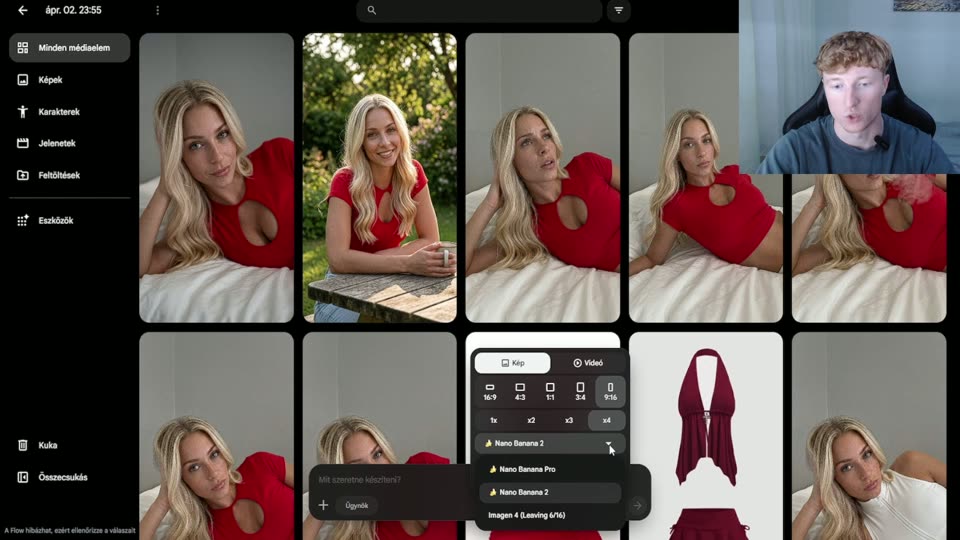
Step 2: Lay the groundwork for face consistency — reference images and seed
A consistent face is the most critical technical element of the whole project. You need two things to start:
- A "prompt core": a 2-3 sentence description of the face (face shape, eye color, hair color and length, skin tone, distinctive features) that you paste unchanged into EVERY prompt
- A fixed seed: once you have a face you like, lock the seed value — the same seed + the same prompt core returns a similar face
Keep generating until you find "THE face" — that can take 50-100 attempts. Once you have it, create 15-30 reference images of it from different angles (front, three-quarter, profile, smiling, serious). These become the training material for the LoRA in step 4. If you've never generated an image before, read AI image generation for beginners first — it explains the basics (prompt, seed, steps, CFG) in detail.
Step 3: Choosing an image generator — why Flux?
In 2026, Flux.1 Dev is the best-value choice for a photorealistic AI model: it's open source, understands natural-language prompts, and handles skin texture and lighting exceptionally well. All 1,995 ready-made prompts on the AI OFM platform are optimized for Flux.
We collected the detailed settings (steps, CFG, resolution, LoRA weights) in Flux AI image generation settings — if you go with Flux, make that your next read. In short: 20-30 steps, CFG 3.5-7.0, 768×1152 portrait resolution, and a fixed seed for consistency.
You can run it locally (you'll need a GPU with at least 12-16 GB of VRAM) or in the cloud — the cloud is simpler for beginners, since there's nothing to install and you only pay for what you actually generate.
Step 4: LoRA and character-consistency techniques
A fixed seed is a good start, but you get a truly stable face with two techniques:
LoRA training
A LoRA (Low-Rank Adaptation) is a small add-on model that you train on the 15-30 reference images from step 2. After that, your character's face stays consistent in any location, pose or lighting. Training takes 30-60 minutes in the cloud and requires no coding — with most services you just upload the images and hit start.
AI face swap
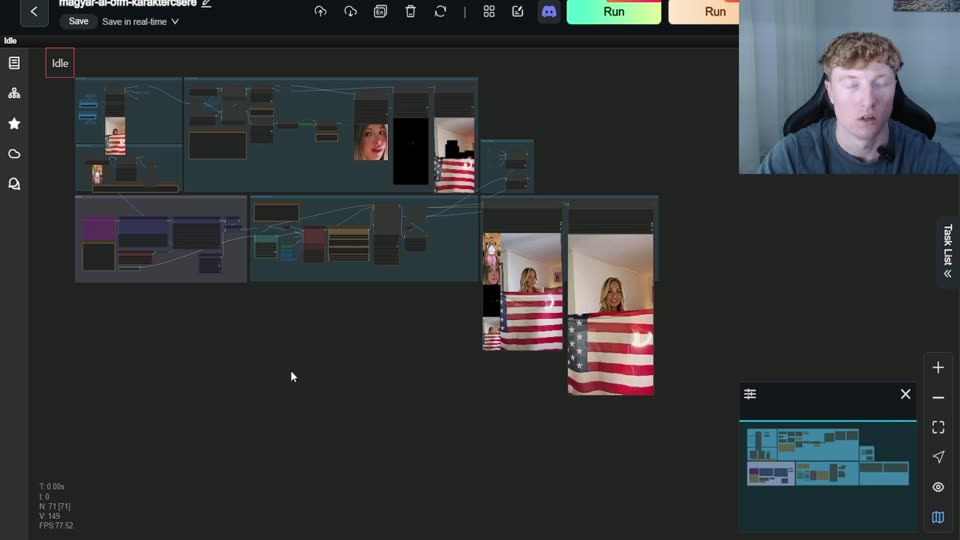
The other route: generate a good composition with any face, then swap your own character's face onto it. This is faster than a LoRA and combines well with it — the AI face swap guide covers the details, tools and legal must-knows. Important: only ever use your own AI-generated character's face, never a real person's.
In practice, the best results come from combining the two: LoRA for baseline consistency, face swap for fine-tuning your most important images.
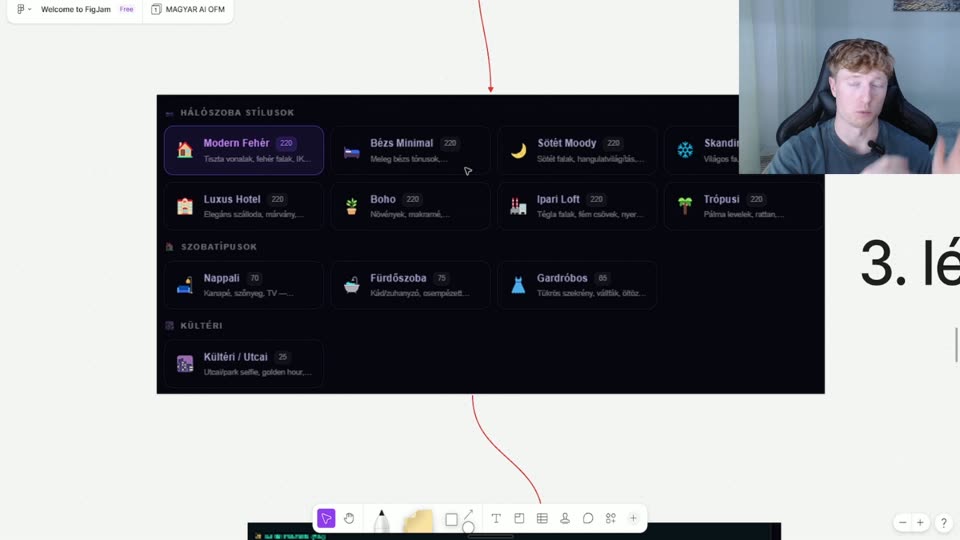
Step 5: Batch content production — the 12 locations + 53 poses system
An AI model needs a constant supply of content: 1-2 posts a day on social platforms and dozens of images a week for Fanvue. You don't produce that image by image — you produce it in batches.
Our system is built for exactly this: 12 locations (e.g. a modern white apartment, a luxury hotel, a Scandinavian living room, outdoors) × 53 poses across 5 intensity levels (from Cute to Explicit) × 5 outfit colors. This matrix is where the platform's 1,995 ready-made prompts come from — you don't need to write a new prompt for every image; you just pick a location-pose combination and drop your character's prompt core into it.
- Weekly batch: sit down once a week for 2-3 hours and generate 40-60 images in one go
- Variety: switch between 3-4 locations within a week so your feed doesn't get monotonous
- Intensity arc: Cute/Flirty levels go on public platforms; the higher levels go into paid Fanvue content
Step 6: Quality control and upscaling
Not every image in a batch will be good — expect 30-50% of your generations to end up in the trash. A checklist for every image:
- Hands and fingers: the most common source of errors — six fingers or a warped hand is an instant reject
- Eyes: asymmetry, mismatched pupils, a glassy stare
- Face match: is it really your character looking back? Compare against the reference images
- Background logic: floating objects, gibberish text, warped furniture
Whatever makes it through, upscale it to high resolution. We use RunningHub's 38-node image upscaling workflow (based on SeedVR2, 3x upscale), available as a download from the Insider plan — the RunningHub workflow guide walks you through setting it up step by step. The upscaled image gives you crisp skin texture, which makes the character more believable and converts better in paid content.
Step 7: Publishing routine — turning images into revenue
Finished content is worth nothing without a routine. The weekly rhythm that works:
- Warmup: "warm up" new TikTok/Instagram accounts for 1-2 weeks without posting, with organic activity only — the Insider plan includes ready-made warmup plans for this
- 1-2 short videos or images a day on public platforms (TikTok, Instagram) — this is what drives traffic
- 3-5 Fanvue posts a week + daily DM replies — about 70% of revenue comes from private messages (PPV), as our $1,114.81 in Messages shows
- Monthly review: which location, pose or style brought the most reach and revenue — make more of that
You can sign up for Fanvue here — the platform gives creators 80% of revenue (20% commission) and pays out to your bank account from $20.
How long does the whole thing take?
A realistic timeline from zero: steps 1-4 (persona + consistent face + LoRA) take 1-2 weeks, and the first content batch plus the account warmup another 1-2 weeks. So in about a month you can be posting live — roughly the same timeframe as our first $1,510.31 month.
If you don't want to figure out prompts and workflows from scratch, the AI OFM platform bundles the 1,995 ready-made prompts, the 12 locations + 53 poses system, the upscaling workflow and the 17-step Fanvue Method: sign up for free — the Starter plan is €0, so you can try it with 15 SFW prompts. Got questions? People swap experiences every day in our Telegram community (387+ members, t.me/magyarAi).
Related articles
Frequently asked questions
How long does it take to create a consistent AI model?+
Realistically 3-4 weeks starting from zero. The first 1-2 weeks go into defining the persona, finding a consistent face and training the LoRA; the next 1-2 weeks into producing your first content batch and warming up your social accounts. A ready-made prompt system (like the 1,995 ready-made prompts) shortens this considerably, because you don't have to write every prompt from scratch.
Do I need to know how to code to create an AI influencer?+
No. Image generation runs in point-and-click cloud interfaces, LoRA training on most services is an image upload plus one button, and RunningHub workflows load as ready-made JSON files. What you really need: patience for trial and error, and consistency in your weekly content routine. In 2026, the technical barrier to entry is low.
How much does it cost to create an AI model?+
Cloud image generation and LoRA training typically run a few dozen euros a month by industry estimates if you don't have a powerful GPU of your own. Running it locally means a bigger one-off expense for a graphics card with 12-16 GB of VRAM. On top of that, there's an optional prompt and workflow package: on our platform, Starter is €0, and Insider is €59/mo with 1,200 prompts plus the upscaling and video workflows.
How do I keep my AI model's face consistent across every image?+
By combining three techniques: a fixed prompt core (a 2-3 sentence description of the face, unchanged in every prompt), a locked seed value, and LoRA training on 15-30 reference images. LoRA gives the most stable results because it preserves the facial features in any location and pose. For your most important images, you can add AI face swap using your own generated character's face.
Is it legal to create and monetize an AI model?+
Yes, as long as the character is fully AI-generated and you don't use a real person's face or name — swapping a real person's face in without consent can violate their personal and publicity rights. Your income is taxable: in most countries the usual setup is registering as self-employed or as a sole proprietor. Check the details, and any VAT registration threshold, with a local accountant.
Now build your own character
You've read it — now put it to work. These are ready and waiting on the platform.
Available on a free account — no credit card needed. Sign me up
Follow along on social: