How Much Can You Earn on Fanvue? Realistic Numbers for Beginners (2026)

TL;DR: Our only documented data point is our own first month: $1,510.31 on Fanvue, starting from zero, in 28 days. Fanvue takes a 20% commission, which left us $1,208.25 net. As a beginner, $0–500 a month is a realistic estimate for the first 1-3 months — the final number mostly comes down to content volume, chatting activity and pricing.
How much did we make in our first month? (documented numbers)
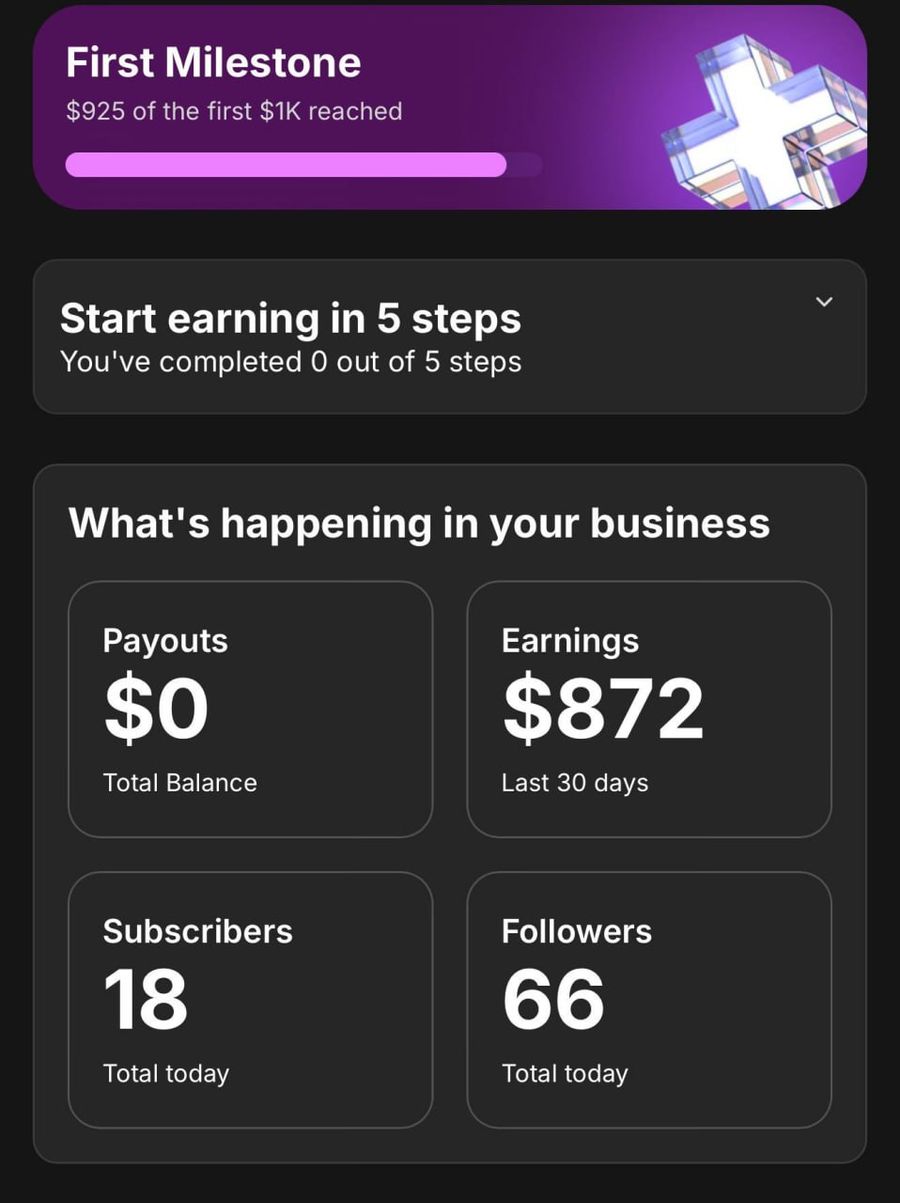
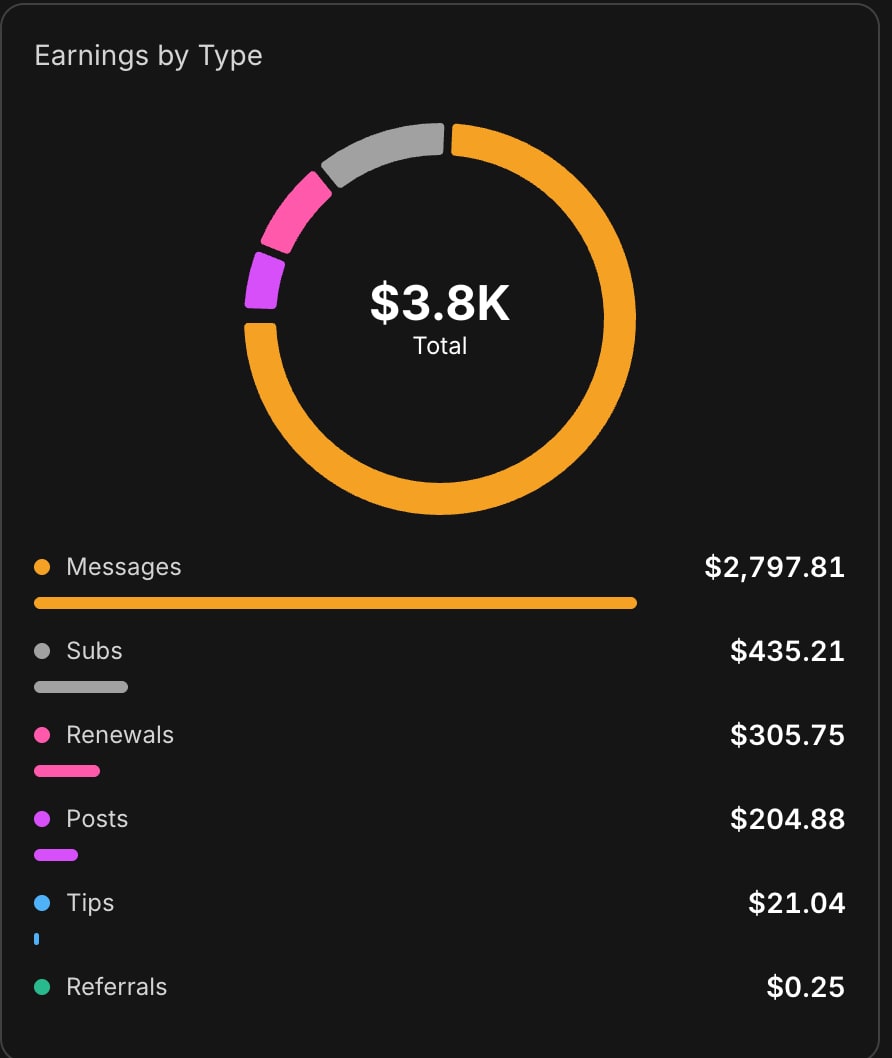
Before we get into estimates, let's start with what we can prove. We launched an AI model on Fanvue with zero followers, zero experience and no paid ads. The result after the first 28 days was $1,510.31 — our only first-hand, documented data point — and here's exactly how it broke down:
| Revenue source | Amount (USD) | Share |
|---|---|---|
| Messages (PPV messages) | $1,114.81 | ~74% |
| Posts (paid posts) | $184.88 | ~12% |
| Subscriptions | $168.86 | ~11% |
| Renewals | $23.96 | ~1.6% |
| Tips | $17.80 | ~1.2% |
| Total | $1,510.31 | 100% |
The numbers behind it: 503K views, 19K profile views, 24K likes and 2,632 shares — all in 28 days, purely from organic traffic. We wrote up the full daily breakdown and the week-by-week strategy in our first-month case study.
The biggest lesson from that table: nearly three quarters of the revenue came not from subscriptions, but from PPV (pay-per-view) messages. If you only post and wait passively for subscribers, you're giving up most of your potential income. We covered how this works in practice in our PPV strategy article.
What determines how much you earn on Fanvue?
There's no guaranteed amount — Fanvue isn't a paycheck, it's a business. In the same amount of time, one creator makes nothing and another makes several thousand dollars a month, and the difference almost never comes down to luck. It comes down to a handful of clearly identifiable factors. It's worth getting this straight up front, because a lot of people go in as if a finished profile will make money on its own — but the profile is just the shop window; the real work happens behind it. In our experience, four factors decide your revenue, and a weak link in any one of them drags down the whole result.
1. Audience: where does your traffic come from?
Fanvue doesn't bring viewers on its own. You have to drive the traffic there yourself — usually from TikTok and Instagram. Our 503K views came from short videos: once one of our TikToks started spreading, the first subscribers showed up within days. Without traffic, even the best profile stays empty, which is why building your social media is the most important work in the first few weeks.
2. Content volume: how much do you post?
Consistency beats perfection. For us, posting daily and several short videos a week was the minimum. With AI content this scales well: no photographer, no studio, no model — with a good set of prompts, your daily batch takes 20-30 minutes. If you post once a week, you get proportionally less reach — and less revenue.
3. Chatting activity: do you reply to messages?
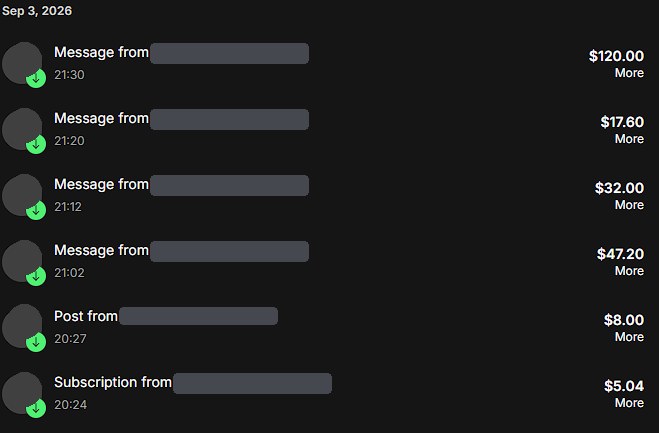
This is the most underrated factor. Since ~74% of our revenue came from messages, 30-60 minutes of active chatting a day directly makes money: a welcome message to every new subscriber, a real conversation, then a well-timed PPV offer. Our chatting strategy lays out exactly which message structure worked for us. If you don't chat, you're leaving most of your revenue on the table.
4. Pricing: what do you charge for your content?
The subscription price is just the entry ticket — the real question is PPV pricing. By the end of the first month we were working with PPV items between $15 and $25, and that brought in the bulk of our revenue. Too low undervalues your content; too high scares off new subscribers. Start lower, then raise prices gradually for your active buyers.
Realistic earning ranges for beginners (estimates)
To be completely honest: our only documented data point is our own $1,510.31 first month. The ranges below are estimates based on industry experience — not promises, and not our measured results. We share them because without realistic expectations, most people quit during the first quiet weeks.
| Period | Realistic monthly range (estimate) | What's typical at this stage? |
|---|---|---|
| 0-3 months | $0 – $500 | Building: social media warmup, first subscribers, first PPV sales. Many beginners sit at $0 for the first few weeks — our first week was $0 too. |
| 3-6 months | $300 – $1,500 | A steady routine: daily content + chatting, repeat buyers, renewals start kicking in. |
| 6+ months | $1,000 – $5,000+ | Scaling: a bigger audience, tested PPV pricing, traffic from multiple platforms. |
Our first month landed near the top of the range — but it took disciplined daily work with a ready-made system. If you treat it as a hobby a few hours a week, the lower ranges are realistic. And yes: for some people, meaningful revenue doesn't come for months — that's part of the honest picture too. These ranges aren't linear either: landing your first few subscribers is the hardest part; after that, repeat buyers and renewals gradually build a stable base for your PPV revenue to grow on. So think in months, not days — if you give up disappointed after two weeks, you're skipping the steepest part of the learning curve.
How much is left after Fanvue's 20% commission?
Fanvue keeps 20% of gross revenue as commission — so the creator keeps 80%. The math is simple:
- Our gross first-month revenue: $1,510.31
- Fanvue commission (20%): -$302.06
- Net payout: $1,208.25
A few practical notes: Fanvue tracks your earnings in USD (not GBP!), the minimum payout is $20, and you receive it by bank transfer. We covered the exact payout process, timing and pitfalls in detail in our Fanvue payouts and withdrawals guide.
What does that mean in your own currency?
We deliberately don't quote a fixed exchange rate, because rates move constantly — the exact amount always depends on the current rate and your bank's conversion fees. If you're paid in a currency other than USD, compare a few payout options before your first withdrawal: the difference between bank conversion rates can add up over a year. Either way, a net $1,208 is a meaningful side income in most countries — the first month can already count if you take it seriously.
A quick word on taxes: Fanvue income is taxable income in practically every country. Fanvue pays out as a company (Fanvue Ltd), so you'll usually need to report it as self-employment or business income — the right setup, registration and thresholds depend on where you live. Check your local rules with an accountant before you start.
What does it cost to get started?
Signing up for Fanvue itself is free — the platform makes its money from commission, not entry fees. The real question is content production: that's what our plans give you a ready-made system for, with 1995 ready-to-use AI prompts, 12 locations, 53 poses and built-in AI image generation.
| Plan | Price (EUR) | What do you get? |
|---|---|---|
| Starter | €0 | 15 SFW prompts — to try it out |
| Insider | €59/mo | 1200 prompts (800 core + 400 premium), Telegram VIP, warmup plans, video workflow, the first 4 lessons of the course |
| Mogul | €200 for the first 3 months, then €69/mo | All 1995 prompts, video workflow, video course, personal support |
For comparison: our first-month net revenue ($1,208.25) would have covered any of these plans several times over. But the reverse is true too — if you're not willing to work on it daily, even the most expensive plan won't earn for you.
How to start the smart way
- Sign up for Fanvue — create your account here, free.
- Build your model and content system — on our platform you can start with ready-made prompts, the 17-step Fanvue Method and built-in image generation.
- Join the community — in our Telegram group, 387+ members interested in AI OFM (AI OnlyFans Management) help each other out.
The numbers speak for themselves, but the bottom line is simple: you can make money on Fanvue, it just doesn't happen on its own. With a documented system and daily work, meaningful revenue is possible even in the first month — for us, it came to $1,510.31.
Related articles
Frequently asked questions
How much can you earn on Fanvue as a beginner?+
Our only documented data point is our own first month: $1,510.31, starting from zero, in 28 days. That's a stronger-than-average result — as an estimate, $0-500 a month is a realistic range for the first 1-3 months with active daily work. Most revenue typically comes from PPV messages rather than subscriptions, so chatting activity is the single most important revenue factor.
How much commission does Fanvue take?+
Fanvue takes 20% of gross revenue, so the creator keeps 80%. In our first-month example, $1,510.31 gross left $1,208.25 net. Fanvue tracks earnings in USD, the minimum payout is $20, and you receive the money by bank transfer.
How do I get paid by Fanvue?+
By bank transfer. Fanvue tracks your earnings in USD, and once you reach the $20 minimum payout, you can request a withdrawal. If your bank account is in another currency, the conversion happens at the current exchange rate and on your bank's terms, so the exact amount you receive can vary from month to month. We cover the full process in a separate article.
Do I have to pay taxes on Fanvue income?+
Yes — Fanvue income is taxable in practically every country. Since Fanvue pays out as a company, it's usually treated as self-employment or business income, but the right setup, registration requirements and thresholds depend on where you live. Check your local rules with an accountant before you start, so you don't run into problems later.
How much does it cost to start on Fanvue?+
Signing up for Fanvue is free; the platform makes its money from commission. The real cost is your content production system: the Starter plan is €0 (15 SFW prompts), Insider is €59/mo (1200 prompts, video workflow and Telegram VIP), and Mogul is €200 for the first 3 months, then €69/mo — which includes all 1995 prompts and the video workflow.
Now turn it into money
You've read it — now put it to work. These are ready and waiting on the platform.
Available on a free account — no credit card needed. Sign me up
Follow along on social: